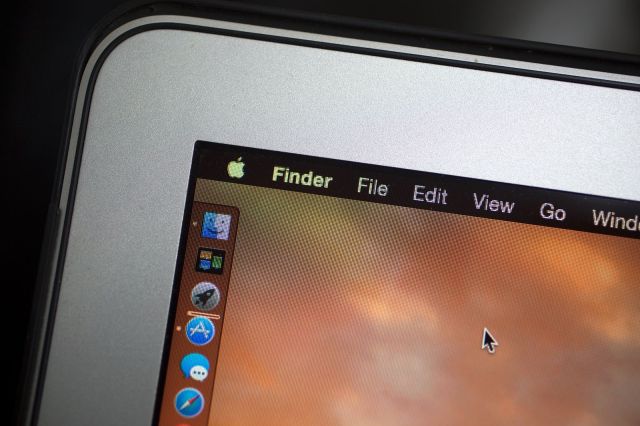
“Dark mode” is just one of OS X Yosemite’s great new features. Photo: Jim Merithew/Cult of Mac
OS X Yosemite packs a lot of new features inside a cleaner, flatter interface on the Mac. It’s a big upgrade, and there’s a lot to take in at first glance.
Whether you’re a Mac novice or a seasoned expert, there’s plenty to explore in the latest version of OS X. Wondering how to get started? Here are some of the best tips and tricks for getting the most out of Yosemite:
Enable “dark mode”
There’s a new “dark mode” in Yosemite that turns the menu bar, dock and Spotlight black. Enable under General in System Preferences.
Do a ton of stuff with Spotlight
Spotlight is a lot more powerful now. It can search 22 kinds of data, all of which can be checked and unchecked under Spotlight in System Preferences.
Type CMD + Space to use Spotlight from anywhere in Yosemite. You can use it to see recent documents for a specific app, view contact cards, find movie info in Fandango, search Wikipedia, find locations through Apple Maps, convert temperatures and more.
Manage your extensions
Like iOS 8, apps optimized for Yosemite can now offer extensions.
There are four kinds of OS X extensions: Actions, Finder, Share Menu and Today. Actions take data from other apps and add it directly to the extension’s corresponding app, like adding a chunk of text from Mail to a task manager. Finder extensions let you manipulate files through a third-party service like Dropbox. Share Menu extensions work like they do on iOS 8, so apps like Pocket can save links in Safari. Today extensions show up as widgets in Notification Center.
The new Extensions section of System Preferences shows all the apps with extensions you currently have installed.
Annotate images in Mail
Apple’s new Markup extension lets you annotate images and PDFs directly in Mail. Click the dropdown at the top right of an attachment to open Markup.
Sign things using your trackpad
Another feature of Markup is the ability to sign things using your Mac’s trackpad. This is a great feature if you want to sign something like a PDF without printing it out and rescanning.
See all open tabs in Safari
Safari in Yosemite can view all your open tabs at a bird’s eye glance. The keyboard shortcut Shift + Command + \ will show all tabs and let you close and rearrange them individually. Any open iCloud tabs on other devices are also displayed at the bottom of the “show all tabs” view.
Be untraceable with DuckDuckGo, private windows
Private browsing is a lot easier with Safari now. DuckDuckGo, which doesn’t track your search results, is available as an alternative search engine in Safari’s settings. Safari’s private browsing mode now opens individual windows instead of taking over the tab you’re currently in.
Quickly access your iOS device’s hotspot
You’ve been able to use your iPhone as a mobile hotspot for years, but Continuity makes it easier than ever with iOS 8 and Yosemite.
As long as you’re logged into the same iCloud account on your Mac and an iPhone that supports Personal Hotspot, the iPhone will show up in your Wi-Fi network list.
Use Handoff for supported apps
Continuity, the umbrella term for several new features that let your Mac and iOS device work together, includes Handoff. Once an app is updated for Handoff on OS X and iOS, you can seamlessly move between devices while keeping your place.
So if you’re composing an email in Mail on Yosemite, the Mail app icon will appear at the bottom of your iPhone’s lockscreen. Tapping it will open Mail in exactly the place you were at on the Mac (and vice versa). iOS apps that are open with Handoff enabled show up at the bottom left corner of the Mac’s dock.
Handoff can be enabled or disabled under General in System Preference.
Answer iPhone calls on your Mac
Another feature of Continuity is that incoming phone calls will show up on your Mac. You can also make calls from the Contacts app or Spotlight in Yosemite as long as your iPhone is nearby.
When a call comes in, your iPhone’s ringtone will play through your Mac and show caller ID in the top right of the screen.
Record your iOS device’s screen
Instead of just your Mac’s screen, QuickTime can now record your iPhone or iPad’s screen when connected via a Lightning cable. When you choose to make a new movie (not screen) recording, tap the dropdown next to the record button to select your iOS device and its microphone as the input.
Eradicate transparency
Some app windows and interface elements in Yosemite are slightly translucent. For instance, you’ll notice that your desktop wallpaper is faintly visible in the background of Safari.
Go to Accessibility in System Preferences and check the “Reduce transparency” option to make all transparency go away.
Title :
Tips for getting the most out of OS X Yosemite
Description : “Dark mode” is just one of OS X Yosemite’s great new features. Photo: Jim Merithew/Cult of Mac OS X Yosemite packs a lot of new features ins...
Rating :
5